Functionality
Kestrel comes with standard modules and functionality customised for each client, all designed to deliver actionable operational performance insights.
The Standard Modules
Every version of Kestrel includes these five core modules, customised to your organisation's specific requirements.
Dashboards Module
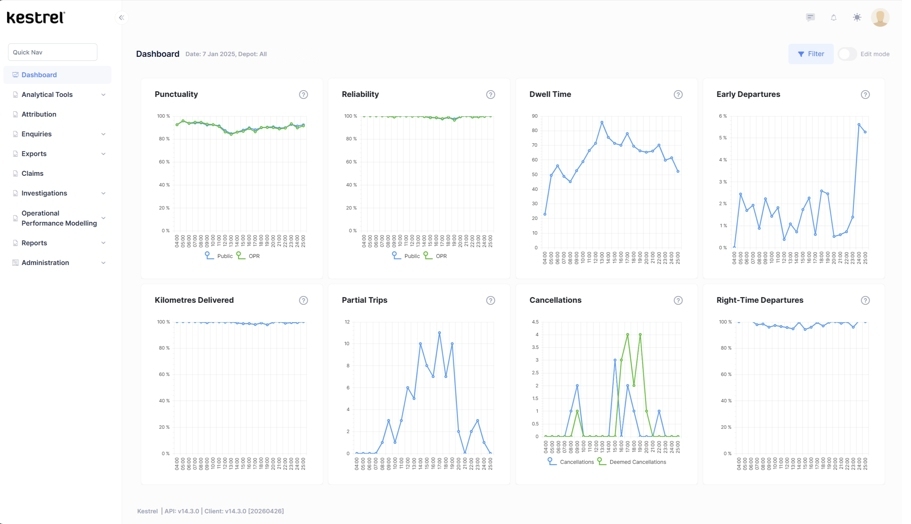
The Dashboards Module provides a high-level 'at a glance' performance overview. This is the first thing a user sees when logging on. This module is always customised for the specific requirements of an organisation but we have strong recommendations as to current best practice. Typically each Dashboard contains Run Charts and Pareto Charts with (deliberately) limited filters/drill-down functionality. The Dashboards default to customer experience with the ability to filter to exclude (for example) contractually exempt figures.
Reports Module
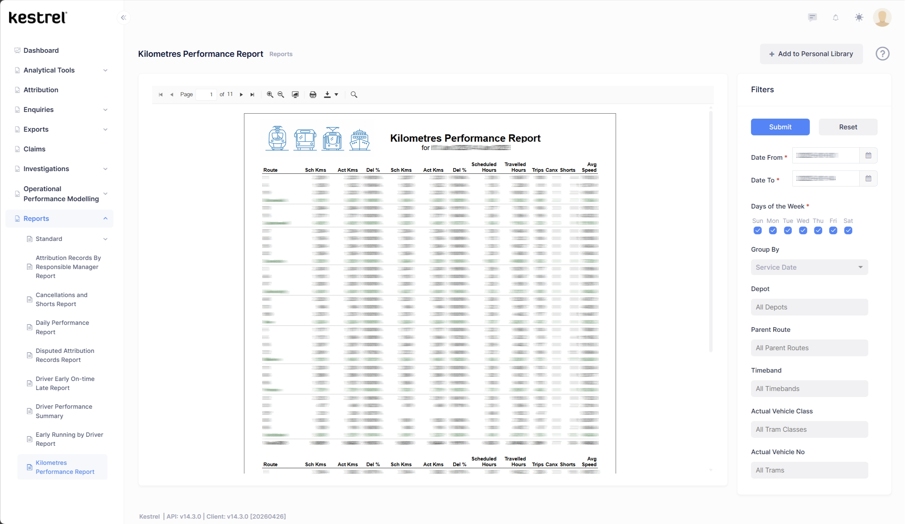
The purpose of the Reports Module is to convey information about performance to specific groups and individuals in an easy-to-understand format that will help them identify trends and know when to take action to control their processes. Reports generally contain high-level, summarised data. Reports show how the whole operation and specific aspects of it are performing.
Automates existing reports
Produces regular organisational performance KPIs and Board Performance Reports automatically
Variety of standard reports
Pre-built reports covering key performance areas and common analysis requirements
Personal reports library
Allows users to create, save and manage their own custom reports
Reports can be set up so they are produced at set intervals and e-mailed automatically to selected recipients.
Enquiries Module
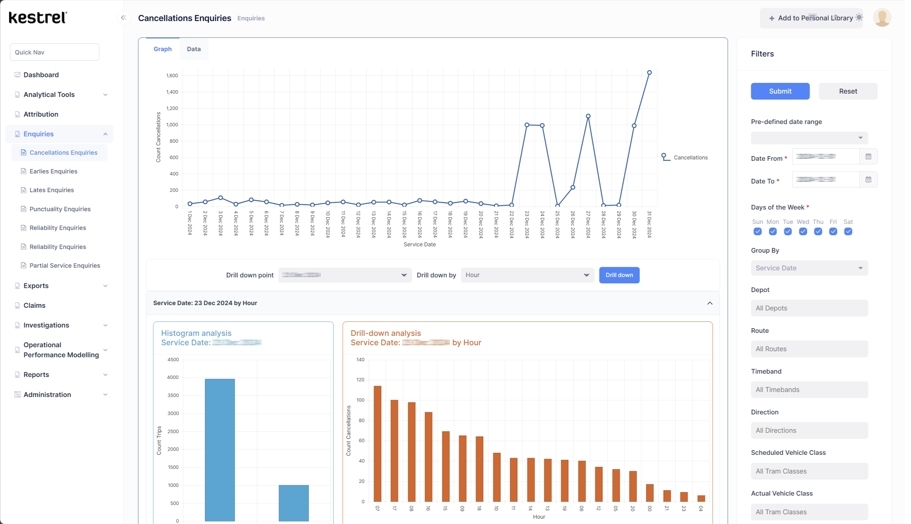
Allows users to interrogate the data in Kestrel for the purposes of investigation and analysis using a wide variety of breakdowns, e.g. by day, by time, by route, by location, by fleet type and so on. This is achieved by a menu-driven structure of filters and drill-down options. The main data display tools used in the Enquiries Module are Run Charts and Pareto Charts. The Enquiries Module should encourage everyday users such as front-line managers to be curious about what is driving their results by drilling down, looking for patterns and testing hypotheses.
Analytical Tools Module
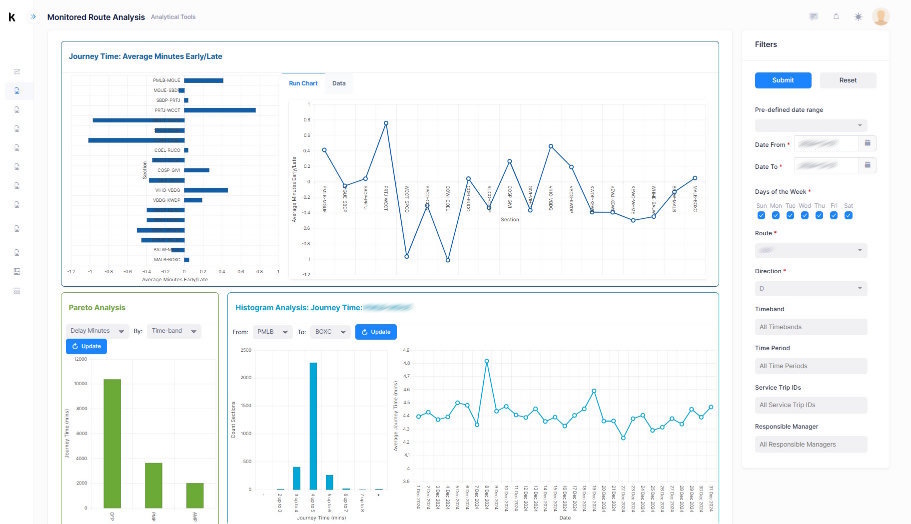
Allows specific performance-related analyses to be carried out such as time lost/gained en-route. Although straightforward to use, the analytical tools are aimed at a more specialist audience than enquiries, such as Performance Analysts and Timetable Planners.
Attribution Module
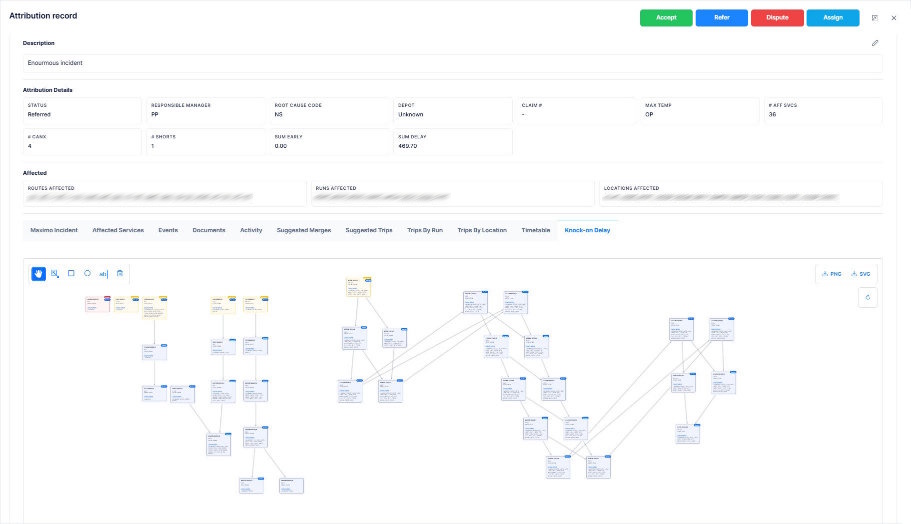
Accurate attribution is essential in understanding the root causes of delays and cancellations and allows analyses to be carried out for the purposes of improvement. The Attribution Module allocates delays and incidents to the appropriate Responsible Manager who can then review, investigate, accept or refer each. This allows each Responsible Manager to understand the contribution their own area of responsibility is making to performance results.
System Principles
Foundational guidelines that shape every aspect of Kestrel.
All performance data and reports in one place: the one source of the truth
The overall purpose is to provide insight that allows improvement in operational performance
All routine tasks, in particular performance reporting, automated
Easy to use for both regular and occasional users, in particular Kestrel is designed not only with data specialists in mind but also busy front-line managers with limited time and basic analysis skills
Easy to use analytical functions
Easy access by multiple users potentially from a number of different organisations for a variety of purposes
Can be used in the office, at home or out-and-about
Data 'pushed down' to the level of Responsible Manager
As close to real-time as possible
High-level strategic data sits alongside the ability to drill down into the detail
Statistically robust with graphs that are easy to interpret and analyse
Easy to implement
Minimal training requirements
Overall Functionality
Core analytical capabilities available out of the box.
Comprehensive data analysis
Analyse punctuality, reliability and incidents data by location, cause, responsible manager, route, service group, individual service, diagram/block, time of day, day of the week
Pareto Analysis
Quick and easy Pareto Analysis, e.g. top 10 worst performing services
Time analysis
Time gained/lost en-route, frequency of service, headways and dwell times
Attribution of delays and incidents
Accurately attribute delays and incidents to specific incidents, root cause and Responsible Manager
Knock-on Delay Analysis
Track and analyse how delays cascade across the network
Automatic report production
Generate reports with commentary, customisable for mode / organisation / mandatory reporting
Linkage to improvement plans
Connect performance data directly to improvement initiatives
Statistical Process Control Module
Available as an optional module for advanced statistical analysis
Additional Functionality
Kestrel can be extended with these additional modules as required.
Capacity Management
Formation against plan, passenger counts
Contract Management
Financial calculations and tracking
Logging
Incident linking and event recording
Action Tracker
Monitor and follow up on action items
Mobile Inputs
Data entry from smartphones and tablets
Customer Feedback
Capture and analyse customer feedback
Statistical Process Control
Automatic addition of Control Limits to time-related data
Want to See Kestrel in Your Organisation?
Get in touch to discuss how Kestrel can be tailored to your specific needs.
Contact Us